

|
|
| Linux news | Newbie's Linux manual | Linux links | Link us | ||
| The Linux columns | Book reviews | ||
| DistroWatch + TuxReports | October 22, 2002 | |
 by , 14 December, 2001
Microsoft want you to be good little citizens and go out and buy Windows XP and a digital camera so you can have endless hours of fun snapping pictures of your friends, family and pets, and manipulate these photos on your PC. To have your sister sprout antlers, your mate with his arm round Pamela Anderson, or your cat stranded on a boat in the middle of the Amazon.
Well, they're right you can have endless hours of fun. But at what cost?
Only my current version of Linux, Red Hat Linux 7.2, cost me £5. And with that I received the Gimp free. The Gimp being the image manipulation program to easily rival Photoshop. In fact since the Gimp comes with practically all Linux distributions it's likely the world's most installed, serious graphics tool. It's even available, free for Windows. And if truth be told, I honestly prefer the Gimp to Photoshop. And Photoshop's very nice.
(Photoshop and XP prices from amazon.co.uk.)
Of course you could use the graphics software that comes with Windows XP, but I'm guessing it's a little limited when compared to the power of the Gimp and Photoshop.
I'd better just repeat that in case you thought you read wrong. Windows XP Home Edition, £163. Photoshop 6, £530. That's £693 in total, or £765 if you opt for Windows XP Professional. That's either 138.6, or 153 times the price I paid for Red Hat Linux 7.2, and Red Hat Linux, and other Linux distributions, come with far more software.
So how do you learn to use the Gimp? Simple. You read the superb Grokking the Gimp, available free online, or in book format.
And what of your new fangled USB digital camera. Is it simple to set-up in Linux?
All it took with my Fuji FinePix 2200 USB digital camera was a simple:
# mkdir /mnt/cam
...and this line added to the /etc/fstab file:
/dev/sda1 /mnt/cam vfat ro,noauto,user 0 0
And hey presto, here's one I created earlier (intentionally without lighting correction to keep it more fun, and less of the serious):
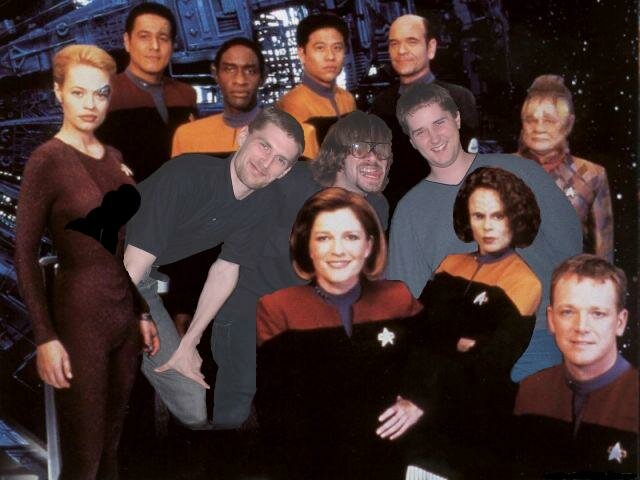
--The geeks meet the crew. (Seven seems strangely aroused by my presence. Peter (right) wants a piece of Janeway, and the Doc has his eye on Chewbacca (middle).)
And if you're confused by those cryptic Linux lines, my free Newbie's Linux Manual is there to help you get to grips with Linux fast.
For help with your digital camera, check out the following Linux hardware sites:
So what are you waiting for? With the money you save opting for Linux, you can purchase a digital camera, or if you have a camera, a nice new photo-quality printer--and still have change for a frame or three.
| About us | |
| Latest stable kernel: 2.4.19 | Latest development kernel: 2.5.44 Copyright © 1998-2002 Linuxdot.org. Linux ® is a registered trademark of Linus Torvalds. |
|